> ## Documentation Index
> Fetch the complete documentation index at: https://help.experro.com/llms.txt
> Use this file to discover all available pages before exploring further.
# Unpublish or Delete Content
## Unpublishing Content
To remove live content without deleting the Entry:
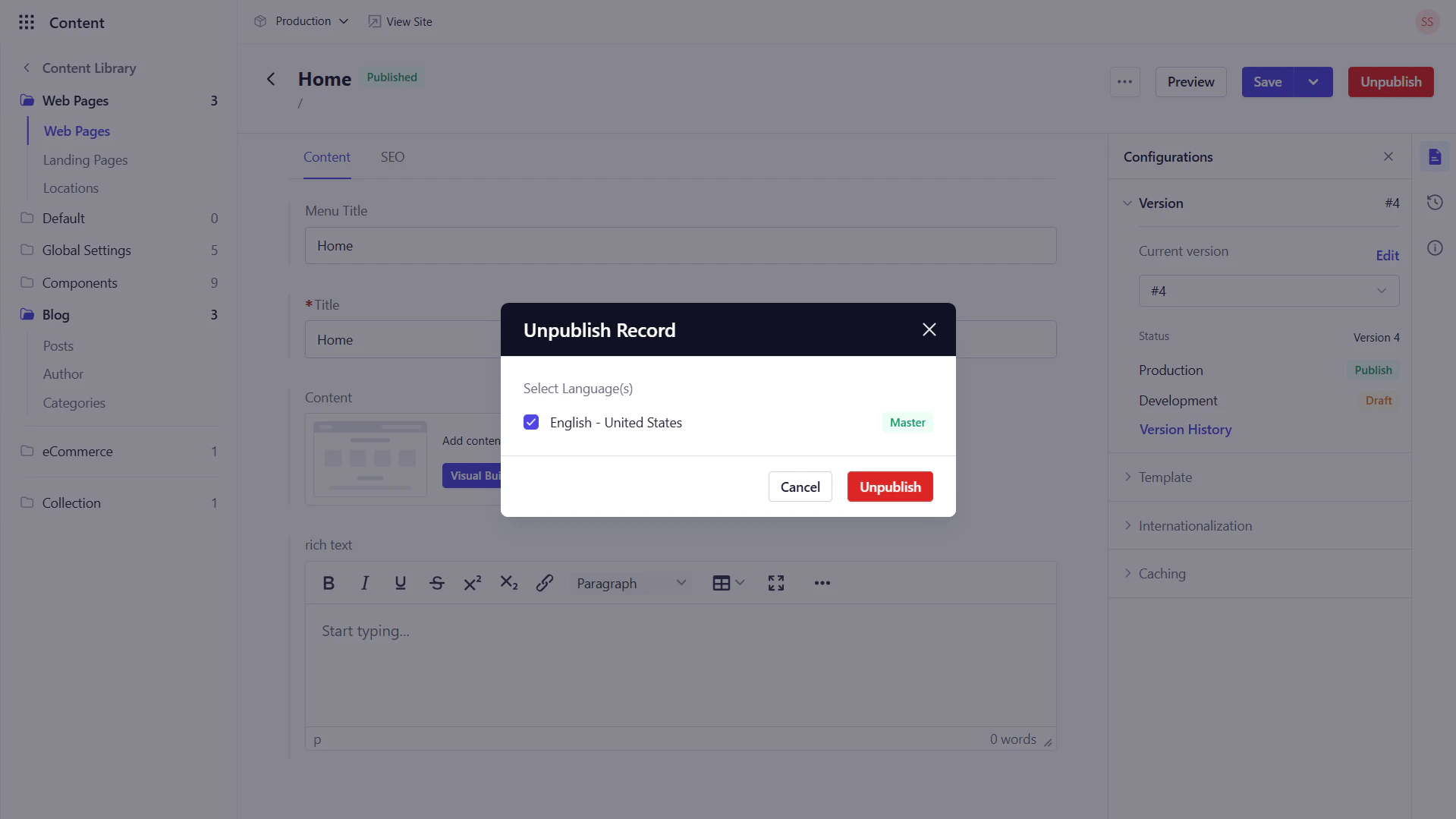
1. Open the published entry in **Content Library**.
2. Click **Unpublish**, select the lanugage, and select **Unpublish**.
Unpublishing does **NOT** delete the entry or its versions.
 ## Deleting Content
Use deletion sparingly, as it removes all versions permanently.
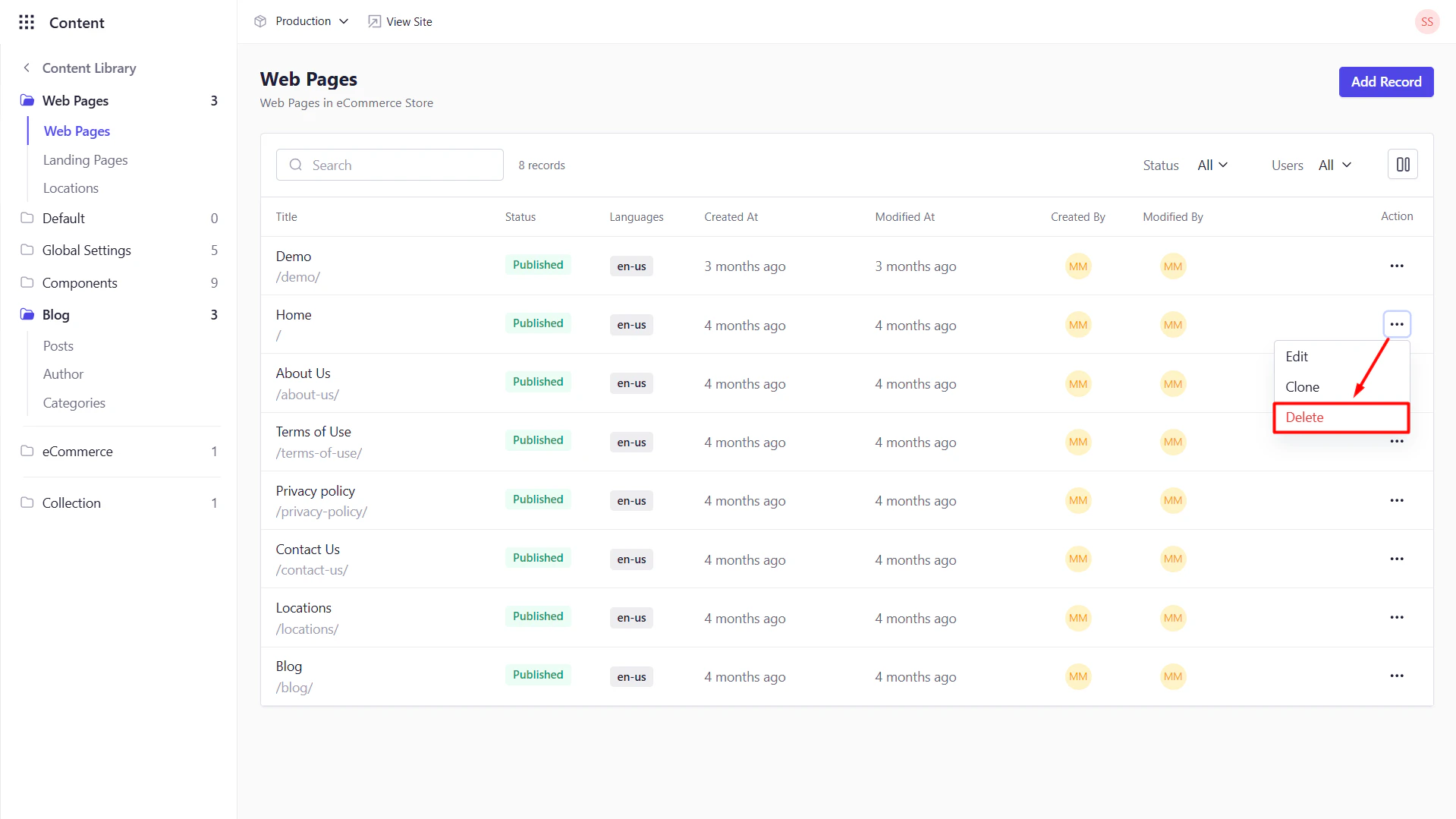
1. In **Content Library**, locate the entry.
2. Navigate to the Actions column and click
## Deleting Content
Use deletion sparingly, as it removes all versions permanently.
1. In **Content Library**, locate the entry.
2. Navigate to the Actions column and click  next to it.
3. Select **Delete**, then confirm.
next to it.
3. Select **Delete**, then confirm.