> ## Documentation Index
> Fetch the complete documentation index at: https://help.experro.com/llms.txt
> Use this file to discover all available pages before exploring further.
# Clone and Delete Experiments
Cloning copies a configuration so you can run a follow-up test without rebuilding it. Deleting removes an experiment and everything it collected.
## Clone an Experiment
Clone from the row menu on the Experiments list, or from the **Clone** button on the experiment's own screen.
The clone opens as a new **Draft** with every setting copied — details, metrics, target audience, duration, variants, and experience mappings. Edit what you need, then save or start it.
| Copied | Not copied |
| ------------------------------- | ----------------------------- |
| All configuration | Collected metrics and results |
| Variants and traffic allocation | Start and end dates |
| Experience mappings | Status |
Experro confirms with "Experiment cloned successfully."
Cloning is the fastest way to run a variation on a test you have already built — a second CTA wording, or the same test on another channel.
## Delete an Experiment
Delete from the row menu, or from the **Delete** button on the experiment's screen. The confirmation depends on the status.
**Published experiments** warn that configurations, variants, and collected metrics will be removed, and offer **Pause Experiment** as an alternative alongside **Cancel** and **Delete**.
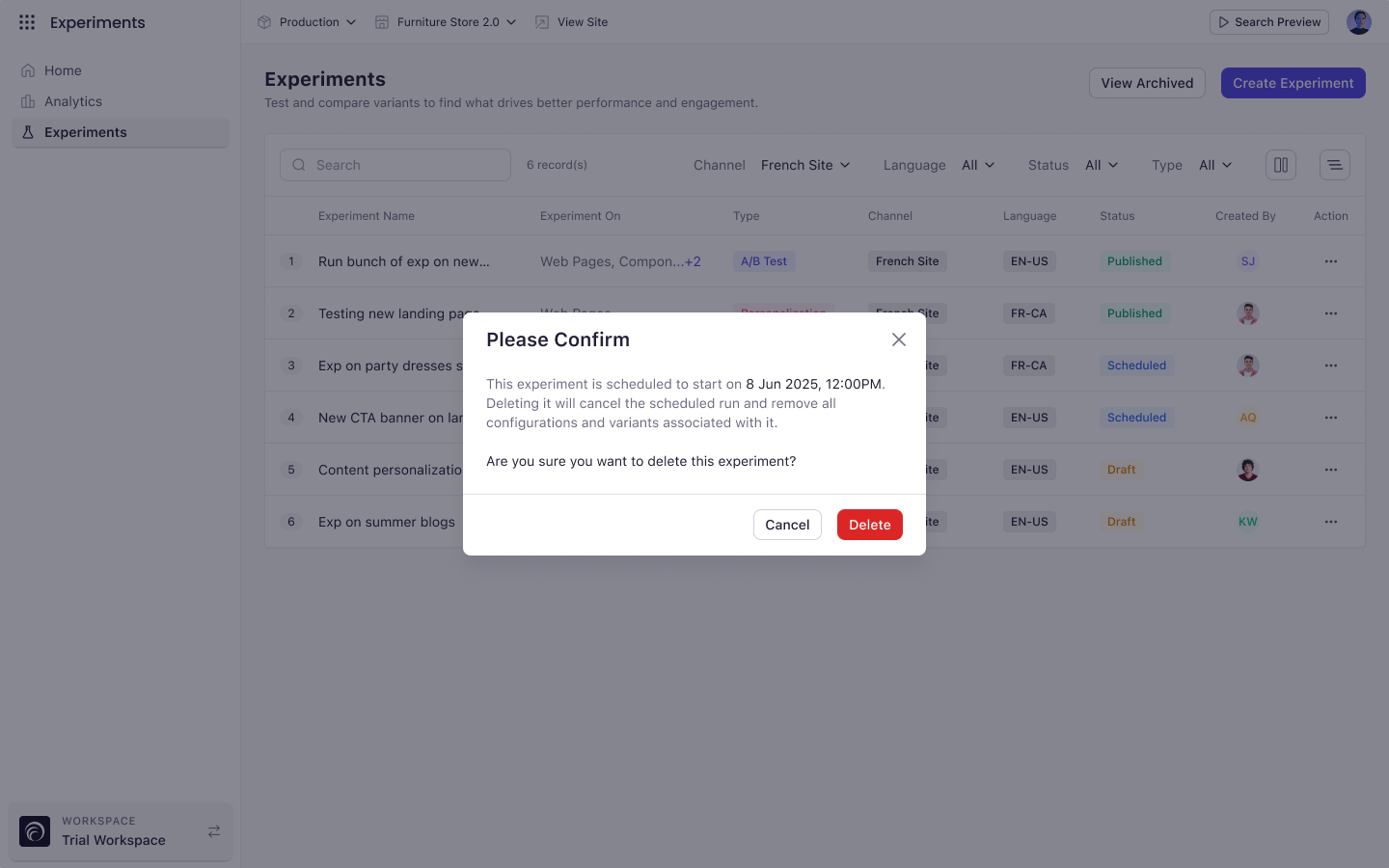
**Scheduled experiments** name the scheduled start date and warn that deleting cancels the run.
**Draft and completed experiments** get a straightforward confirmation.
 ## Key Considerations
* Published and paused experiments cannot be deleted while running. Pause or end them first.
* Cloned experiments can share a name with the original. Names are not required to be unique.
Deletion is permanent. Configurations, variants, and every metric collected are removed, and there is no undo.
## What's Next
* [Pause an Experiment](/experiments/managing_experiments/pause_an_experiment)
* [Manage Your Experiments](/experiments/managing_experiments/experiment_list)
## Key Considerations
* Published and paused experiments cannot be deleted while running. Pause or end them first.
* Cloned experiments can share a name with the original. Names are not required to be unique.
Deletion is permanent. Configurations, variants, and every metric collected are removed, and there is no undo.
## What's Next
* [Pause an Experiment](/experiments/managing_experiments/pause_an_experiment)
* [Manage Your Experiments](/experiments/managing_experiments/experiment_list)