> ## Documentation Index
> Fetch the complete documentation index at: https://help.experro.com/llms.txt
> Use this file to discover all available pages before exploring further.
# Pause an Experiment
Pausing stops an experiment from serving variants while keeping everything else intact. Use it when you need to halt a test quickly — a problem on the site, a pricing change, or a campaign that has to take priority.
## When Pause Is Available
The **Pause** button appears in the header when the experiment is **Scheduled** or **Published**. It is hidden in every other state.
## Pause the Experiment
Click the experiment on the Experiments list to open its results screen, then click **Configure Experiment**.
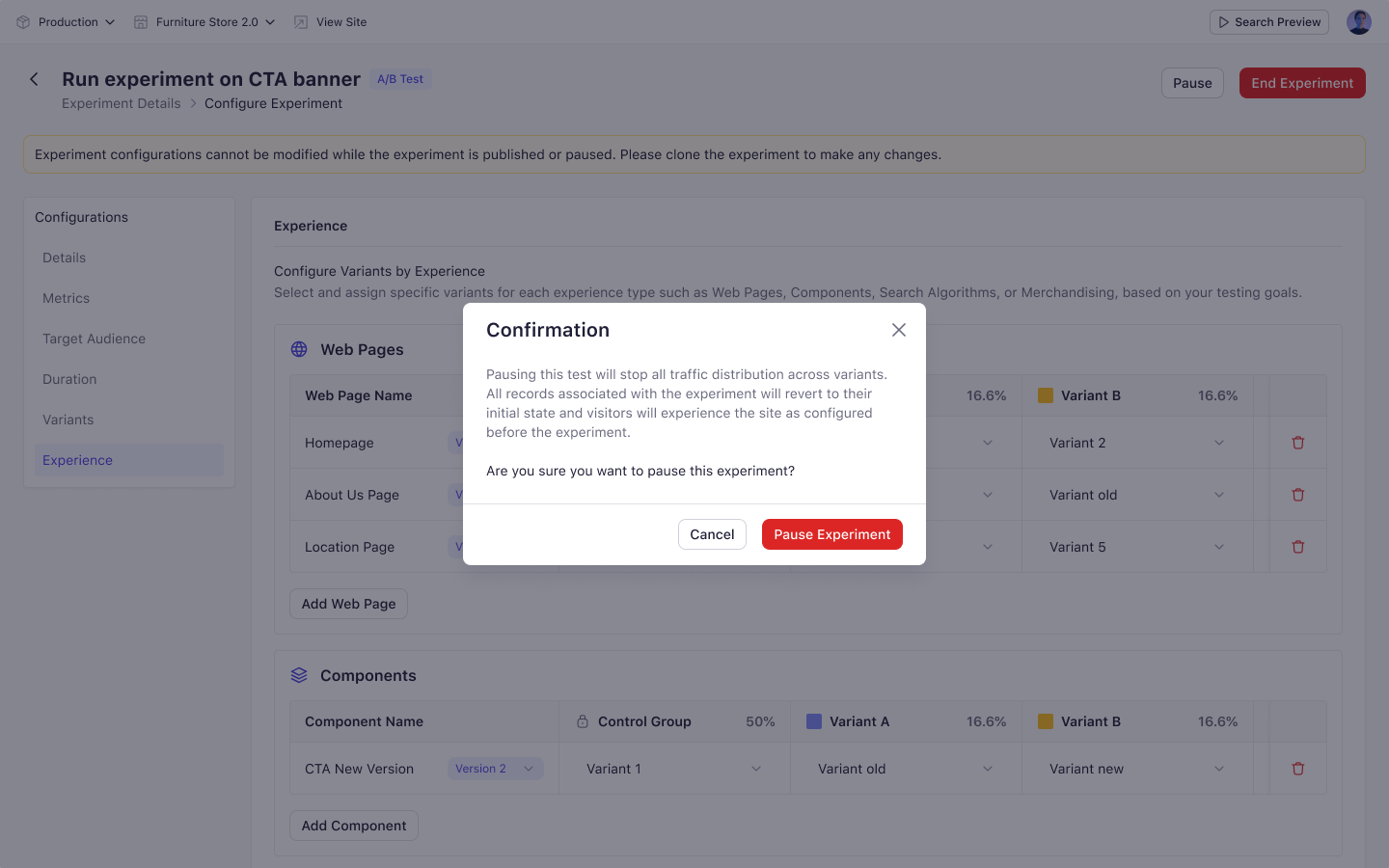
A confirmation dialog explains what pausing does.
For an A/B test: "Pausing this test will stop all traffic distribution across variants. Visitors will only see the control group experience until the experiment is resumed."
For a personalization experiment: "Pausing this experiment will temporarily stop all personalized experiences. Users will see the default experience until the experiment is resumed."
Click **Pause Experiment**. Traffic distribution stops immediately.
 ## What Happens to Enrolled Visitors
Visitors already assigned to the experiment stay assigned. They see the control experience for as long as the pause lasts, then return to their assigned variant when you resume.
Their assignment is not lost, so resuming does not restart your sample.
## Resume the Experiment
Click **Start Experiment** to resume.
* If the end date is still in the future, the experiment returns to **Published** and data collection continues.
* If the end date has already passed, the experiment moves to **Completed**.
Metrics collected before the pause are preserved.
Configuration is preserved exactly as you left it. All fields remain populated when you resume.
If you are considering deleting a running experiment, pause it instead. Deleting destroys the collected metrics permanently.
## What's Next
* [End an Experiment](/experiments/managing_experiments/end_an_experiment)
* [Experiment Statuses](/experiments/overview/experiment_statuses)
## What Happens to Enrolled Visitors
Visitors already assigned to the experiment stay assigned. They see the control experience for as long as the pause lasts, then return to their assigned variant when you resume.
Their assignment is not lost, so resuming does not restart your sample.
## Resume the Experiment
Click **Start Experiment** to resume.
* If the end date is still in the future, the experiment returns to **Published** and data collection continues.
* If the end date has already passed, the experiment moves to **Completed**.
Metrics collected before the pause are preserved.
Configuration is preserved exactly as you left it. All fields remain populated when you resume.
If you are considering deleting a running experiment, pause it instead. Deleting destroys the collected metrics permanently.
## What's Next
* [End an Experiment](/experiments/managing_experiments/end_an_experiment)
* [Experiment Statuses](/experiments/overview/experiment_statuses)