> ## Documentation Index
> Fetch the complete documentation index at: https://help.experro.com/llms.txt
> Use this file to discover all available pages before exploring further.
# Overview
Experro Recommendations enable you to deliver highly personalized and contextual product suggestions across your storefront—automatically. Whether it's showcasing frequently bought items on the cart page or suggesting alternatives on product detail pages, Recommendations help you create engaging experiences that boost conversions, order value, and customer satisfaction.
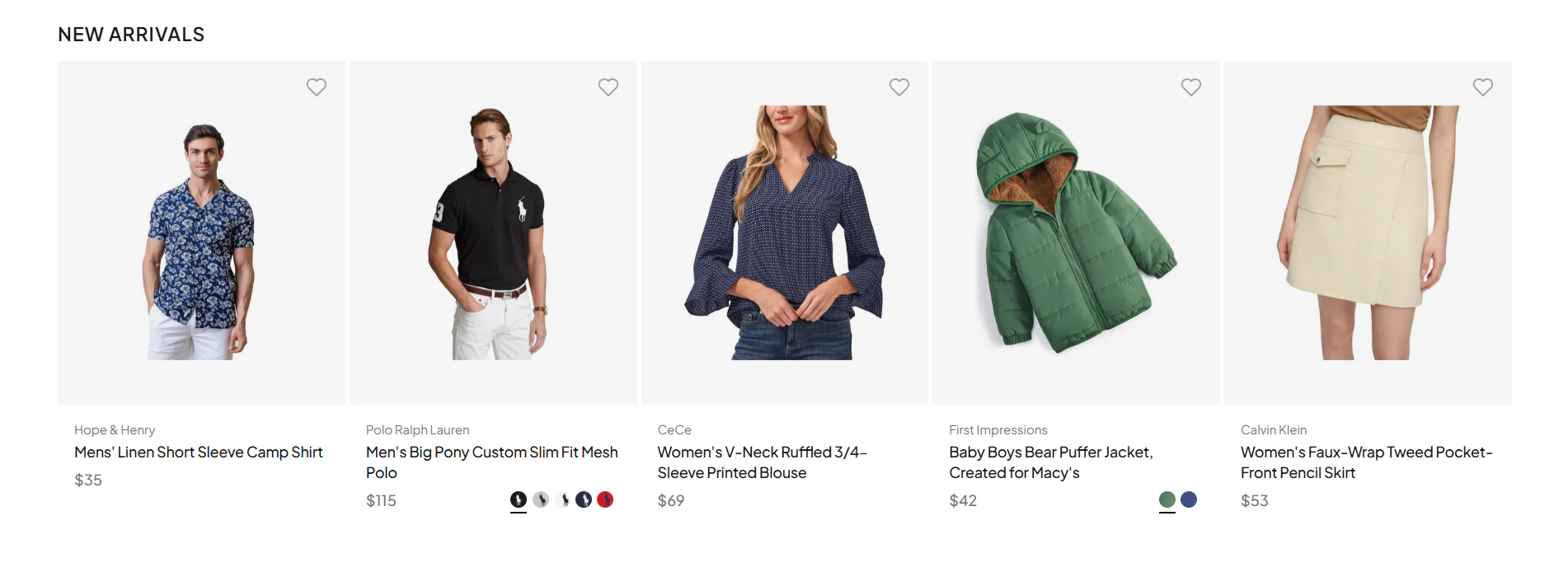 This section walks you through the **core workflows and configurations** required to set up and manage recommendation widgets—no coding required.
## How Recommendations Work in Experro
Experro’s AI-powered engine (Eywa) combines **real-time user behavior**, **intent understanding**, and **affinity patterns** to generate precise product suggestions. Merchants can fine-tune these outputs through rules and merchandising controls, ensuring alignment with business goals.
## Available Recommendation Algorithms
Experro offers a diverse set of prebuilt algorithms designed for specific use cases:
Personalized picks based on user behavior and interests.
Cross-sell logic based on transactional patterns.
Surface items often viewed in close succession to the current product
Showcase visually or semantically similar alternatives
Highlight top-performing, trending SKUs
Display the newest arrivals or collections
Rank by highest sales across store or category
Remind shoppers of items they've recently bought across sessions
Suggest recently viewed products to keep shoppers engaged
Let users pick up where they left off
Contextual results based on user's browsing history
Dynamic suggestions based on search intent.
Explore each algorithm in detail in its [dedicated section](/experro_discovery/recommendations/recommendation_algorithms), including configuration steps, applicable rule types, and visual behavior.
## Recommendation Setup Flow
Here’s a high-level view of how you’ll work with Recommendations inside Experro:
Begin by adding a new widget from the **Recommendations** section in your admin panel. Choose the algorithm that fits your use case.
Customize widget behavior using rules—global, query-based, page-specific, or category-level. You can also layer in merchandising logic like Boost/Bury or Pin/Slot rules.
From the **Content** tab, adjust layout settings: card formats, carousels, grid structure, labels, titles, and more. Map the created widget to the UI element where you want the recommendation widget to appear on the storefront.
Set activation timelines for seasonal or promotional widgets, then publish to go live instantly—no development effort required.
> Ready to get started? Begin by [creating your first widget.](/experro_discovery/recommendations/create_widgets)
This section walks you through the **core workflows and configurations** required to set up and manage recommendation widgets—no coding required.
## How Recommendations Work in Experro
Experro’s AI-powered engine (Eywa) combines **real-time user behavior**, **intent understanding**, and **affinity patterns** to generate precise product suggestions. Merchants can fine-tune these outputs through rules and merchandising controls, ensuring alignment with business goals.
## Available Recommendation Algorithms
Experro offers a diverse set of prebuilt algorithms designed for specific use cases:
Personalized picks based on user behavior and interests.
Cross-sell logic based on transactional patterns.
Surface items often viewed in close succession to the current product
Showcase visually or semantically similar alternatives
Highlight top-performing, trending SKUs
Display the newest arrivals or collections
Rank by highest sales across store or category
Remind shoppers of items they've recently bought across sessions
Suggest recently viewed products to keep shoppers engaged
Let users pick up where they left off
Contextual results based on user's browsing history
Dynamic suggestions based on search intent.
Explore each algorithm in detail in its [dedicated section](/experro_discovery/recommendations/recommendation_algorithms), including configuration steps, applicable rule types, and visual behavior.
## Recommendation Setup Flow
Here’s a high-level view of how you’ll work with Recommendations inside Experro:
Begin by adding a new widget from the **Recommendations** section in your admin panel. Choose the algorithm that fits your use case.
Customize widget behavior using rules—global, query-based, page-specific, or category-level. You can also layer in merchandising logic like Boost/Bury or Pin/Slot rules.
From the **Content** tab, adjust layout settings: card formats, carousels, grid structure, labels, titles, and more. Map the created widget to the UI element where you want the recommendation widget to appear on the storefront.
Set activation timelines for seasonal or promotional widgets, then publish to go live instantly—no development effort required.
> Ready to get started? Begin by [creating your first widget.](/experro_discovery/recommendations/create_widgets)