> ## Documentation Index
> Fetch the complete documentation index at: https://help.experro.com/llms.txt
> Use this file to discover all available pages before exploring further.
# Frequently Viewed Together
The **Frequently Viewed Together** widget analyzes what products customers tend to browse in the same session and surfaces those as suggestions—helping shoppers discover complementary items and boosting engagement.
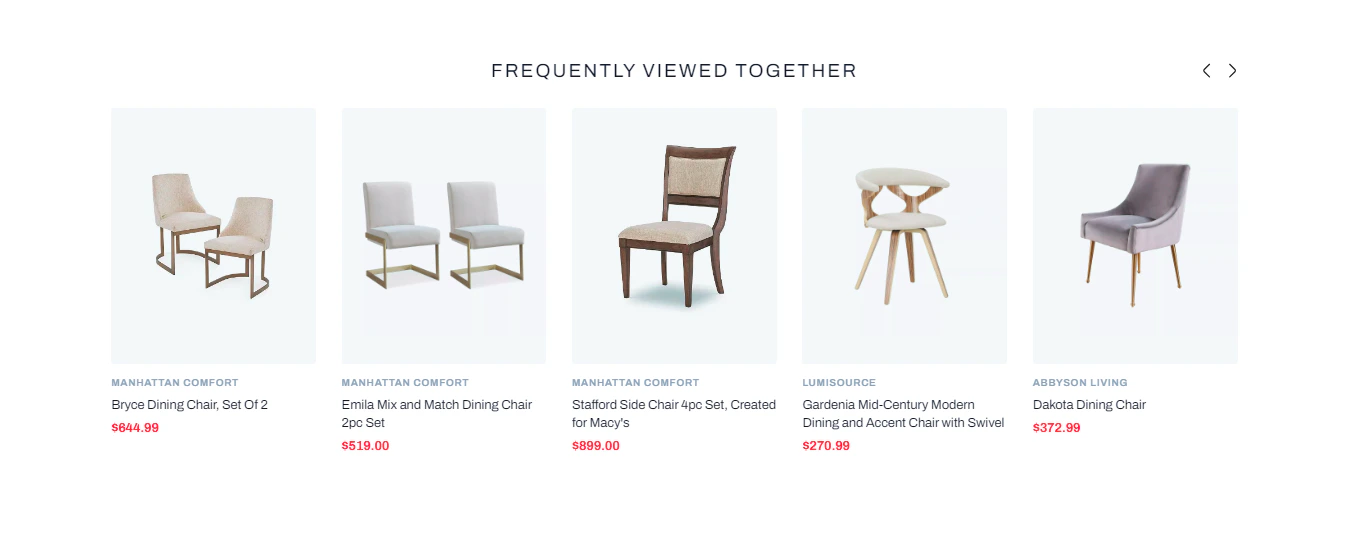 **Recommended Placements**\
**1. Product Page:** Show items often viewed alongside the current product\
**2. Cart Page:** Suggest related products based on cart contents\
**3. Checkout:** Offer last-minute browsed items before purchase\
**4. Homepage:** Display a generic “Customers Also Viewed” feed for returning visitors
## How It Works
1. **Interaction Matrix Construction**\
The algorithm builds a customer–product matrix capturing views and clicks.
2. **Similarity Computation**\
Products that frequently co-occur in the same sessions receive higher similarity scores, reflecting their propensity to be viewed together.
3. **Session Context Boosting**\
If the shopper has active session data, products viewed earlier in that session are boosted to the top of the recommendations.
4. **Fallback Handling**\
When no session or historical view data exists, an optional fallback algorithm (e.g., popular or hot new items) can fill the widget to avoid an empty state.
## Supported Rule Types
You can scope FVT behavior at multiple levels, each of which can override the global settings:
* **Global** (default for all placements)
* **Home Page**
* **Product Page**
* **Cart Page**
## Behavior for Non-Logged-In Users
* **With Session Activity:** Displays FVT based on products viewed in this session.
* **Brand-New Visitors:**
* **Fallback Disabled:** If the user is on the product page, it will show the suggestions that are made to get started with the current product. ⦁ If the user is on the home page, it will not show any suggestions because there is no browsing history.
* **Fallback Enabled:** Shows fallback algorithm suggestions to mitigate cold start.
## Behavior for Logged-In Users
* **Returning Customers:** Combines long-term view history with current session to refine FVT picks.
* **Newly Registered (No History):**
* **Fallback Disabled:** If the user is on the product page, it will show the suggestions that are made to get started with the current product. ⦁ If the user is on the home page, it will not show any suggestions because there is no browsing history.
* **Fallback Enabled:** Fallback suggestions fill the widget, guiding new users.
## When to Use FVT
* **Complementary Discovery:** Offer accessories or variants frequently explored together (e.g., phone cases with smartphones).
* **Browsing Inspiration:** On PDPs, help shoppers discover related products they might otherwise miss.
* **Cart Encouragement:** Surface recently viewed items to reduce drop-off before purchase.
## Example Scenario
1. A shopper views a **linen summer dress** on your PDP.
2. FVT identifies that other customers often also viewed a **straw hat**, **sunglasses**, and a **woven tote bag**.
3. A “Frequently Viewed Together” carousel appears—encouraging the shopper to explore those complementary items.