> ## Documentation Index
> Fetch the complete documentation index at: https://help.experro.com/llms.txt
> Use this file to discover all available pages before exploring further.
# Get model internal name
# How to get the Internal Name (Content Model Internal Name) ?
#### Step 1:
Sign in to your Experro admin panel using the provided credentials, then access the workspace you are assigned to.
#### Step 2:
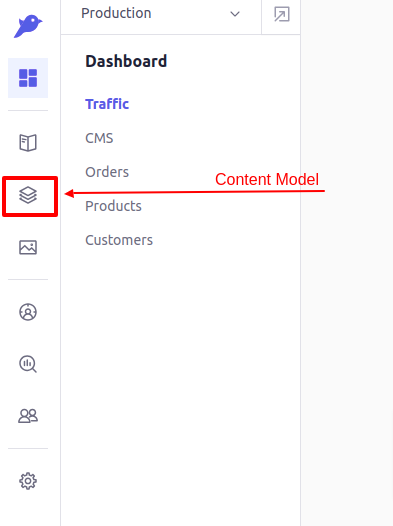
Choose the **Content Model** option from the side panel.
 #### Step 3:
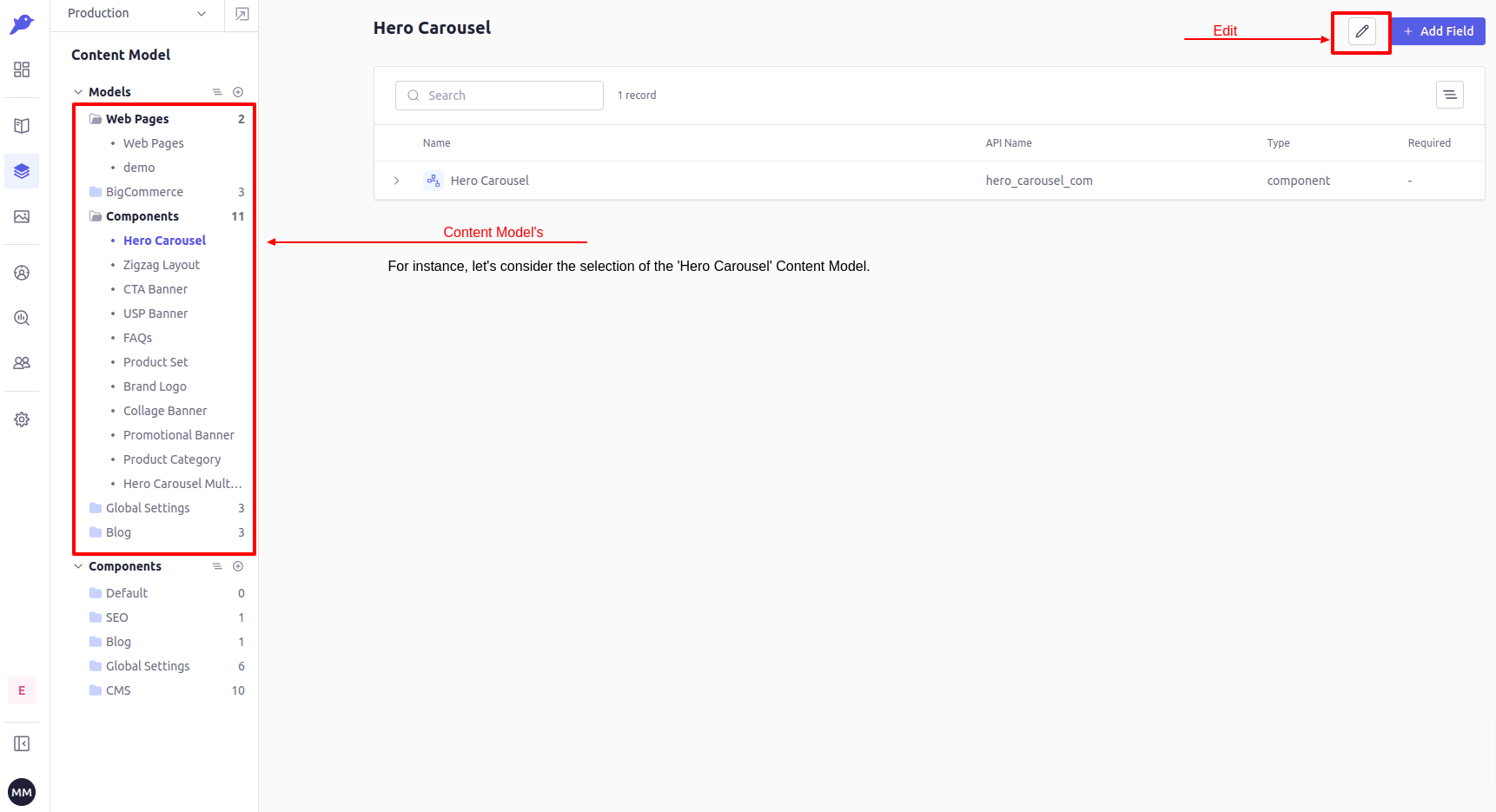
Upon selecting the **Content Model** option, you'll see two accordions: one labeled *Models* and the other labeled *Components*. From here, choose a **Model** for which you want to retrieve the **Internal Name**.
#### Step 3:
Upon selecting the **Content Model** option, you'll see two accordions: one labeled *Models* and the other labeled *Components*. From here, choose a **Model** for which you want to retrieve the **Internal Name**.
 #### Step 4:
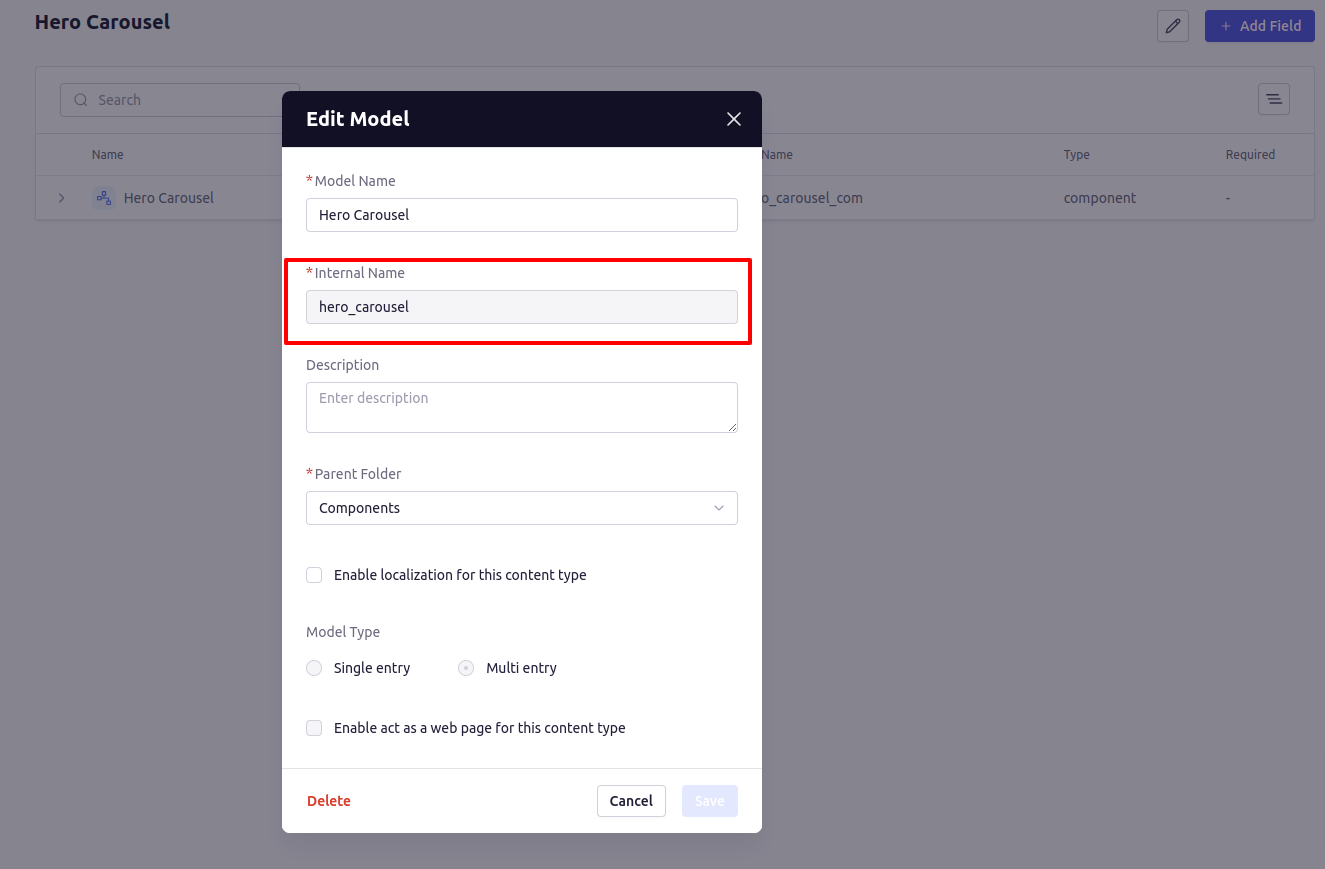
Click on the *Edit* option, which will open a pop-up displaying information about the *Content Model*. Within this pop-up, you'll find a field labeled **Internal Name**, and its value represents your **Content Model's Internal Name**.
#### Step 4:
Click on the *Edit* option, which will open a pop-up displaying information about the *Content Model*. Within this pop-up, you'll find a field labeled **Internal Name**, and its value represents your **Content Model's Internal Name**.
 You can provide this Internal Name to the Widget's configuration to retrieve data of a **Content Model's** record or records. Alternatively, you can utilize this internal name to access the data of the Content Model's records.