> ## Documentation Index
> Fetch the complete documentation index at: https://help.experro.com/llms.txt
> Use this file to discover all available pages before exploring further.
# Channel information
Experro allows you to create and manage multiple channels within a workspace.
To retrieve channel information from Experro, follow these steps:
**Step 1:** Log in to the Experro admin panel.\
**Step 2:** Select the tenant and workspace you are working on.\
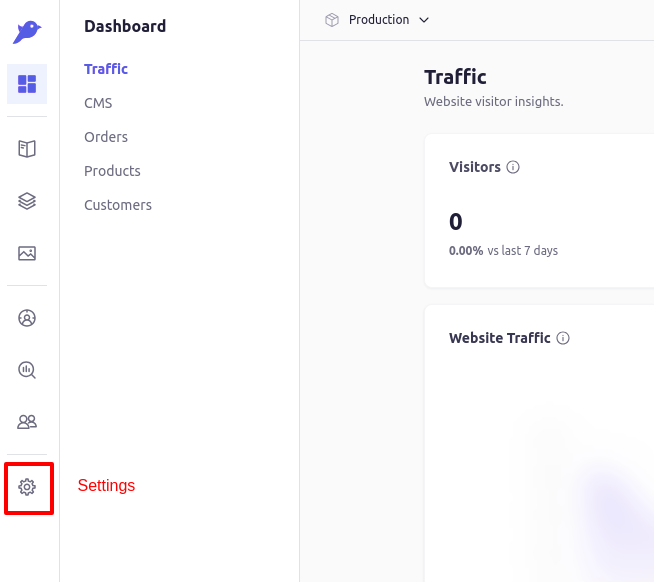
**Step 3:** Navigate to the **Settings** menu.
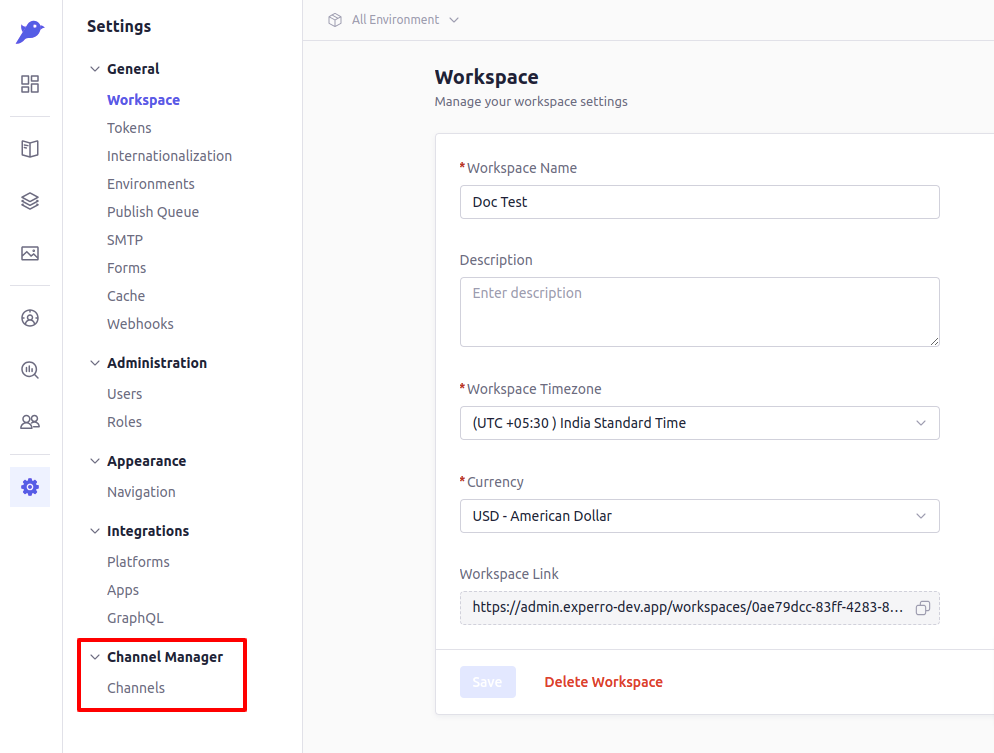
 **Step 4:** Choose **Channels** from the side menu under the **Channel Manager** section.
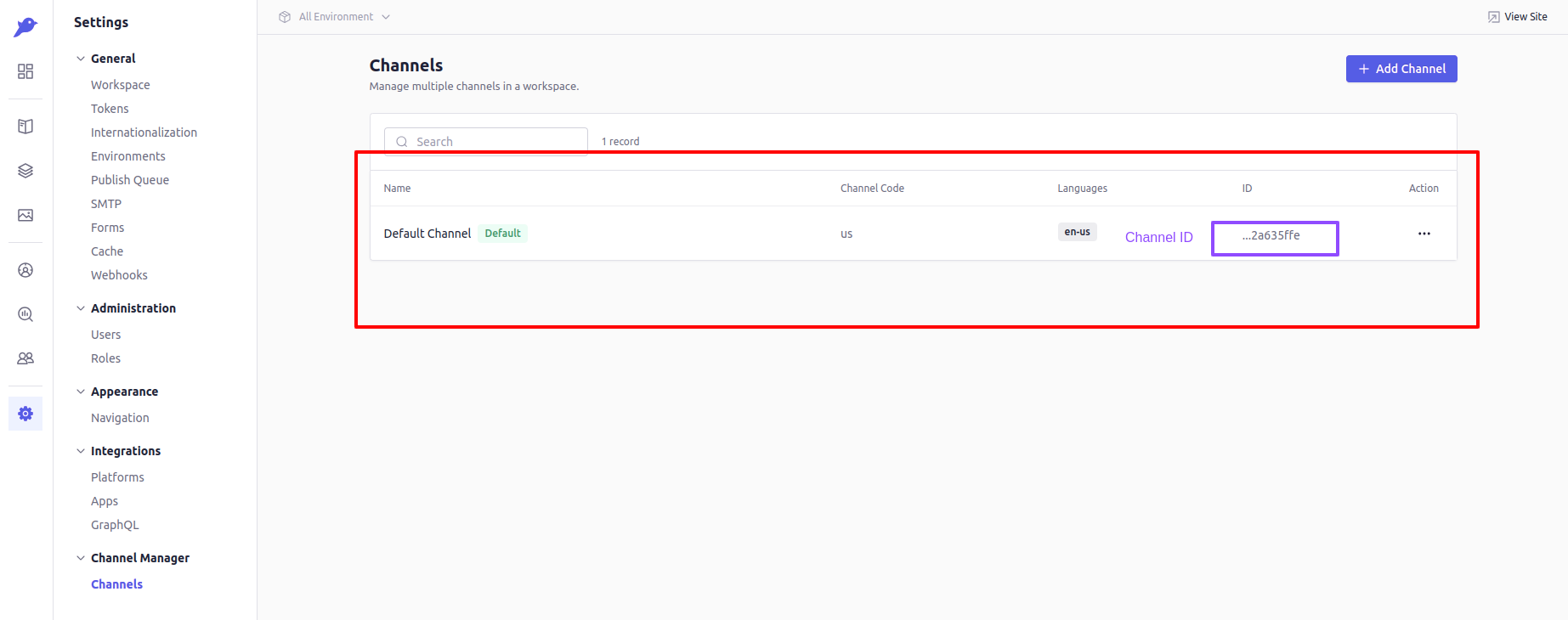 Here, you will be able to view all the channels for the workspace.
#### Channel ID's
From the list, you can also find all the channel IDs in the **ID** column. These IDs can be used in the `.env` file as needed.
### Channel Details
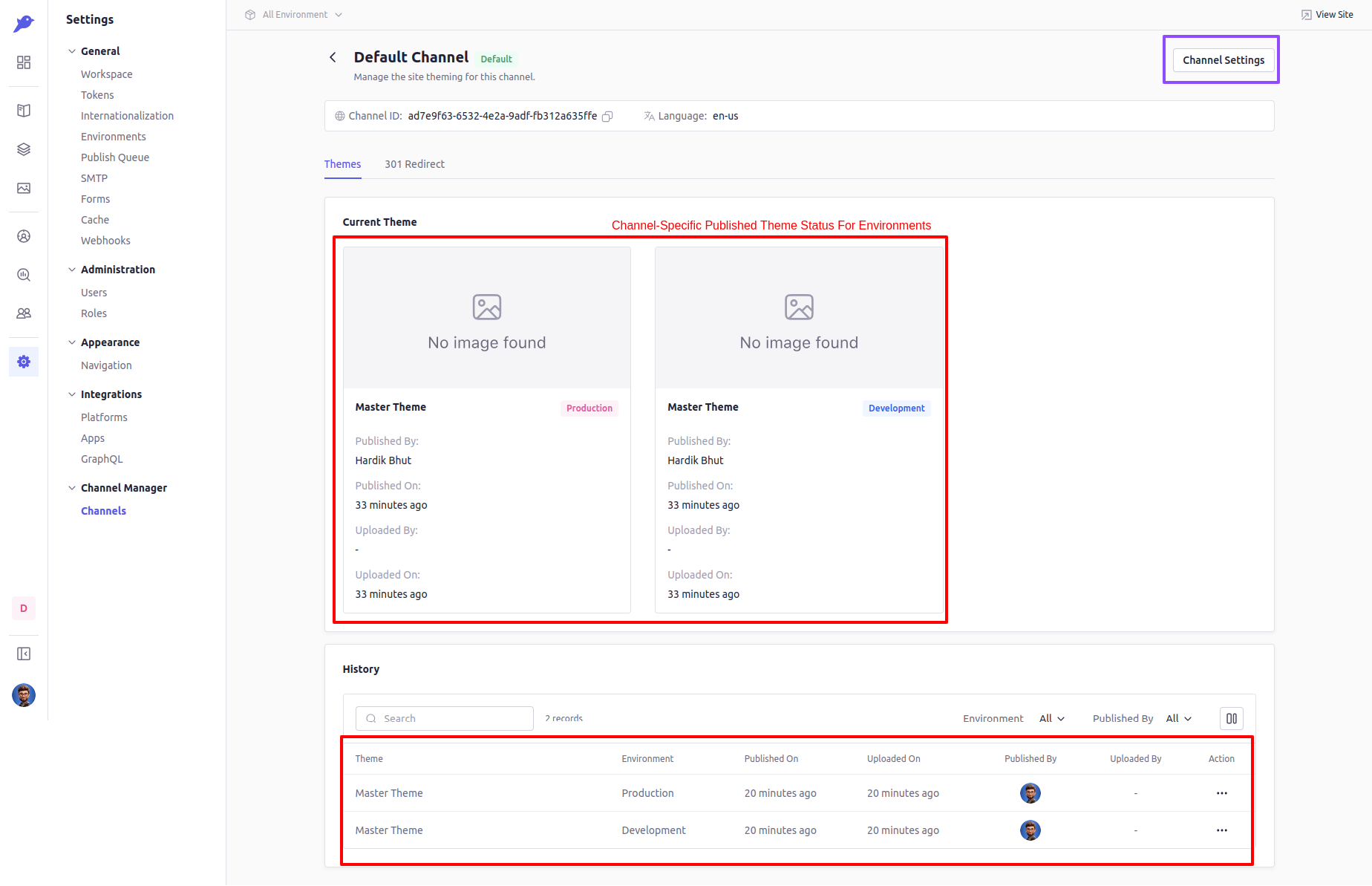
Once you have reviewed the list of channels, click on a specific channel to see its details and settings.
Here, you will be able to view all the channels for the workspace.
#### Channel ID's
From the list, you can also find all the channel IDs in the **ID** column. These IDs can be used in the `.env` file as needed.
### Channel Details
Once you have reviewed the list of channels, click on a specific channel to see its details and settings.
 ### Channel Settings
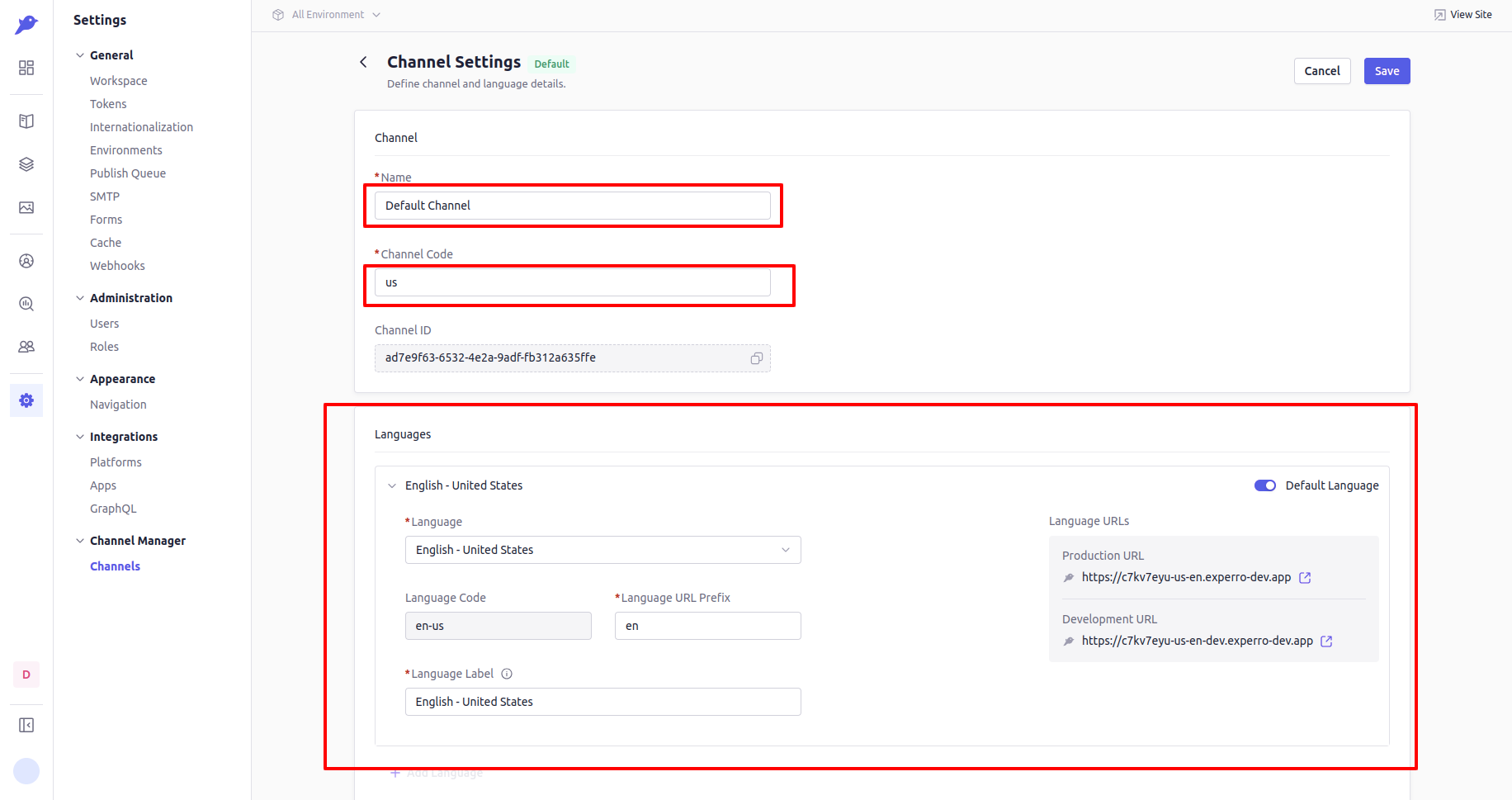
To view the channel settings, click on the **Channel Settings** button. This section provides detailed information about the channel, including the number of languages added, the channel name, channel code, and more.
### Channel Settings
To view the channel settings, click on the **Channel Settings** button. This section provides detailed information about the channel, including the number of languages added, the channel name, channel code, and more.