

Steps to Integrate
1
Open the Shopify Theme Editor
- In your Shopify Admin, navigate to Online Store → Themes.
-
Click Edit Themes.
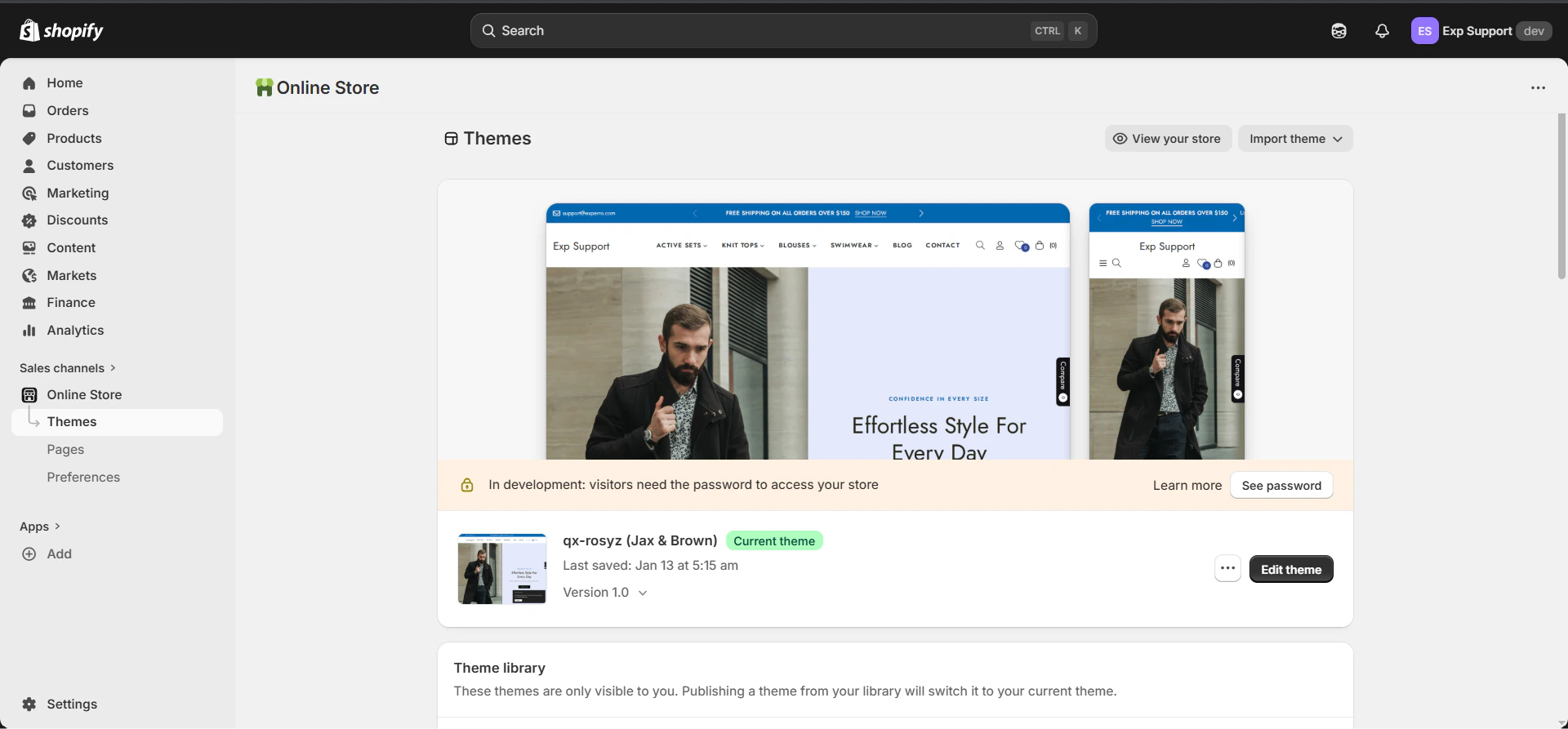
- Navigate to the page from the search bar where you want to add the Experro widget.
2
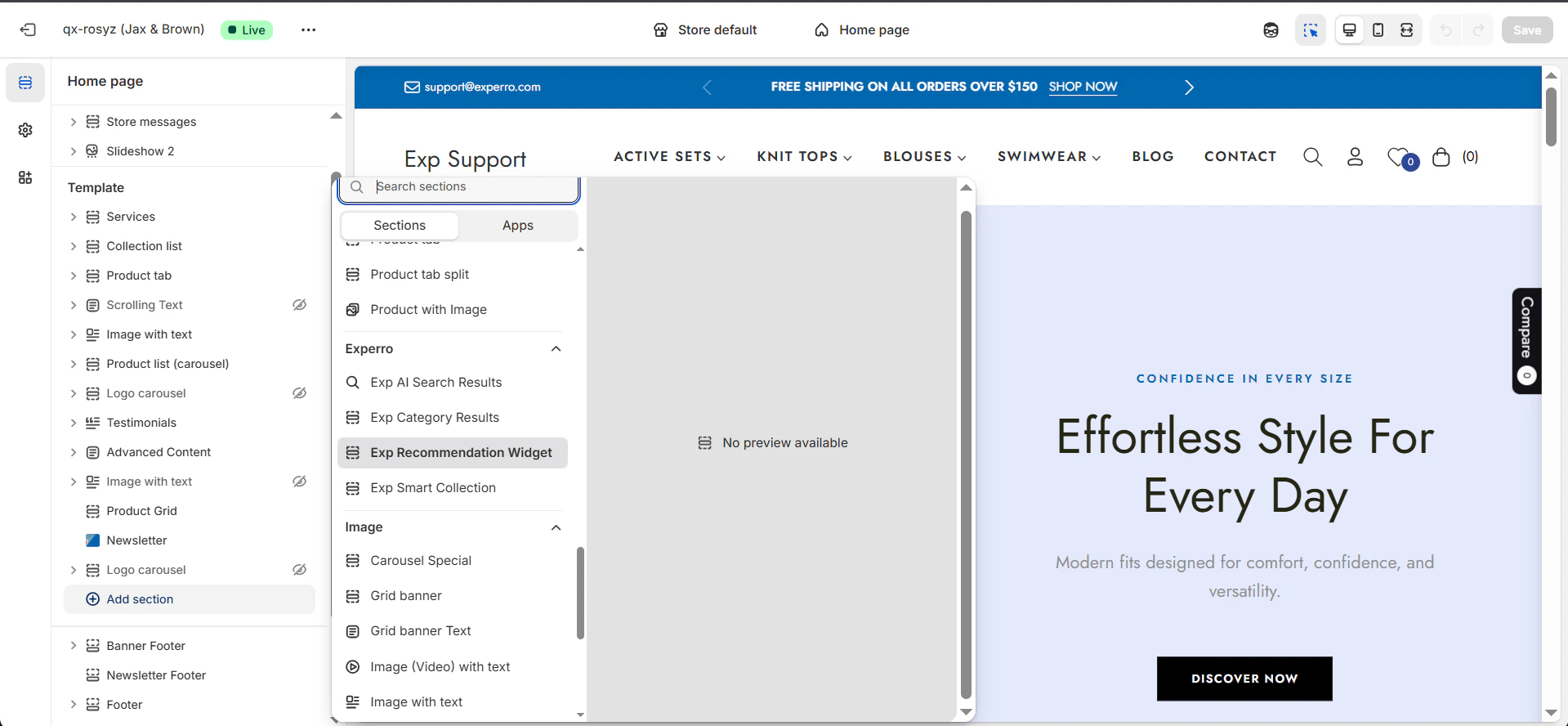
Add the Experro Container to Your Page
- Click Add section, then choose Experro Recommendation Widget, drag and place it where you want on your page.
3
Required parameters configuration
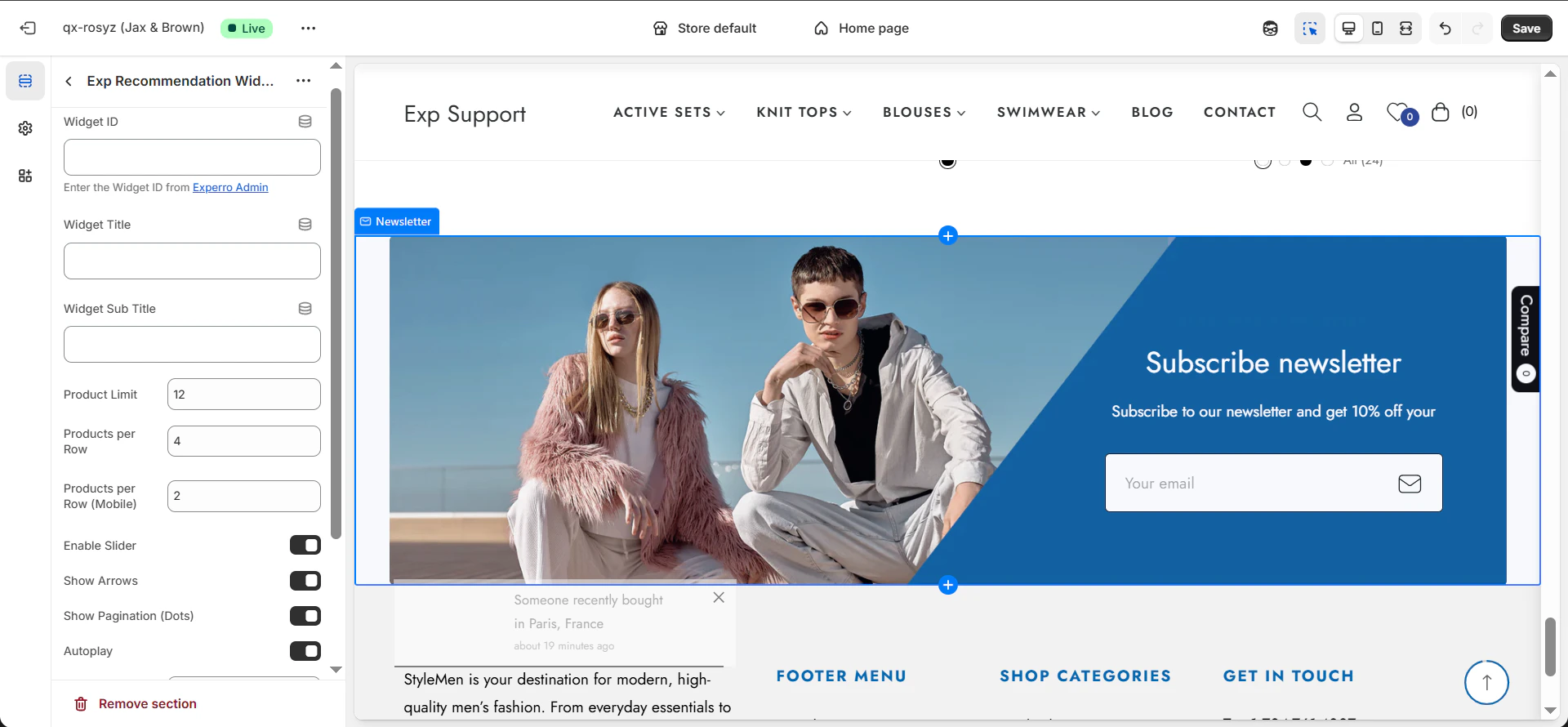
- Select or enter the required parameters as needed:
-
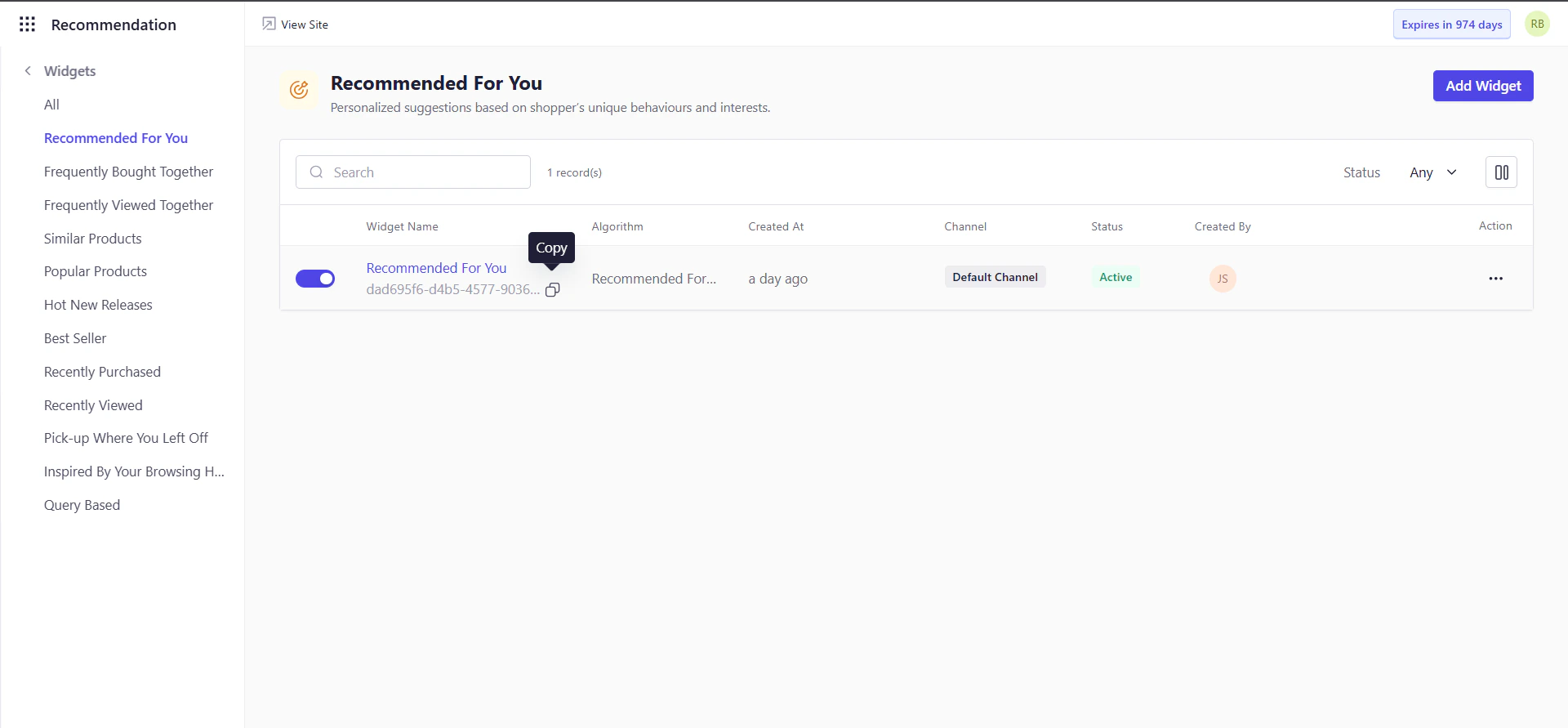
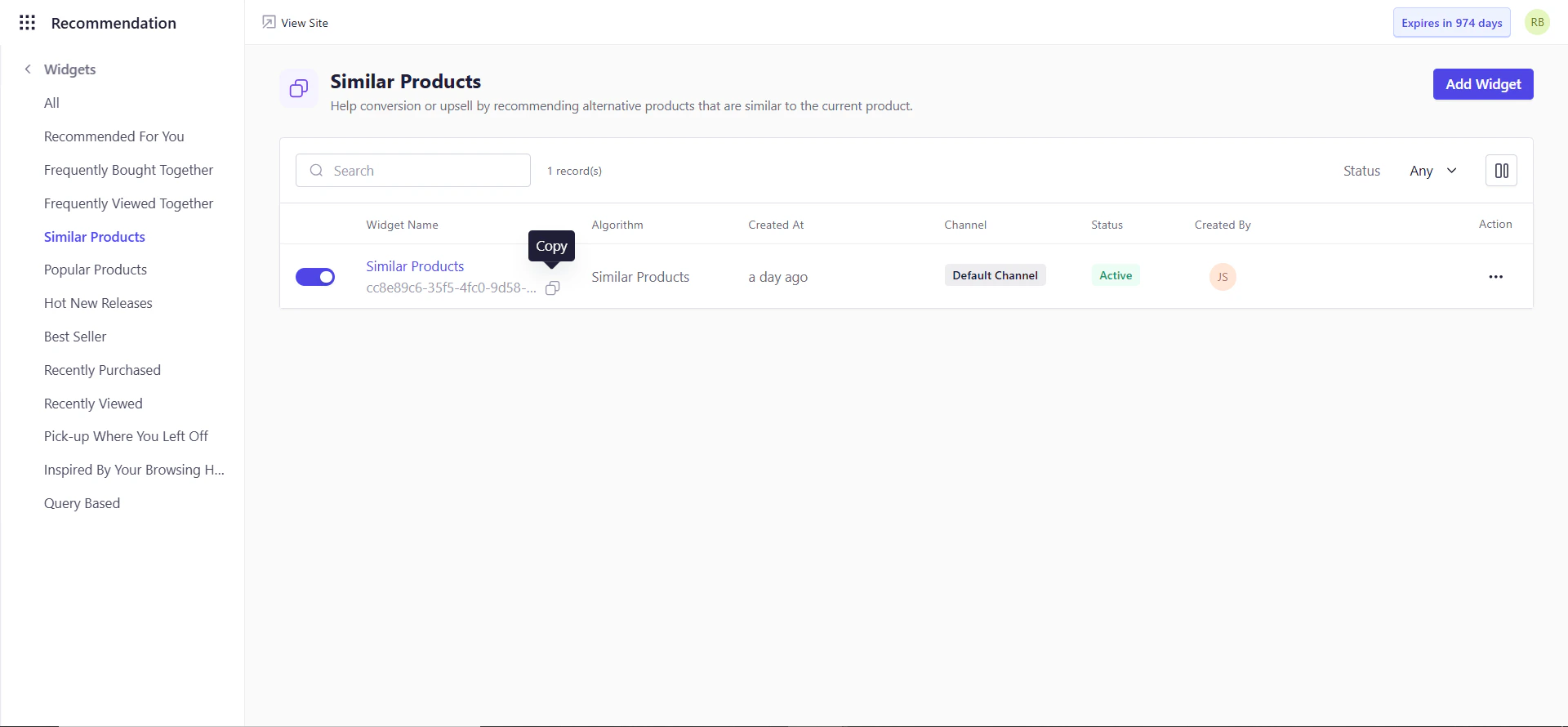
Widget ID: Experro Widget ID from the Experro Admin Panel.
- Widget Title: Enter the main title that will be displayed at the top of the widget.
- Widget Sub Title (Optional): Add a secondary line of text below the title to provide additional context or messaging.
- Products Limit: Specify the total number of products to be displayed within the widget.
- Products per Row: Define how many products should appear in a single row on desktop view.
- Products per Row (Mobile): Set the number of products to be displayed in a single row on mobile devices for better responsiveness.
- Enable Slider: Turn ON to display products in a slider format; if turned OFF, products will be shown in a grid layout.
- Show Arrows: Enable this option to display left and right navigation arrows in the slider.
- Show Pagination (Dots): Enable this option to show pagination dots that indicate the number of slides and current position.
- Autoplay: Turn ON to allow the slider to automatically move through products without user interaction.
- Autoplay Speed (ms): Set the time interval (in milliseconds) between each slide transition during autoplay.
- Slides to Scroll: Define the number of product slides that move at a time when navigating the slider.
Make sure to enter the Similar Product Widget ID in the Widget ID field on the PDP page to ensure the Similar Products widget displays correctly.
4
Save Your Theme Settings
- Click Save at the top right to persist your changes in Shopify.