

Add an Experience
Click Add Experience(s) and choose a type. Only records that already have variants appear for selection. Variants are authored in the module the record belongs to, not here — so create them before you reach this step.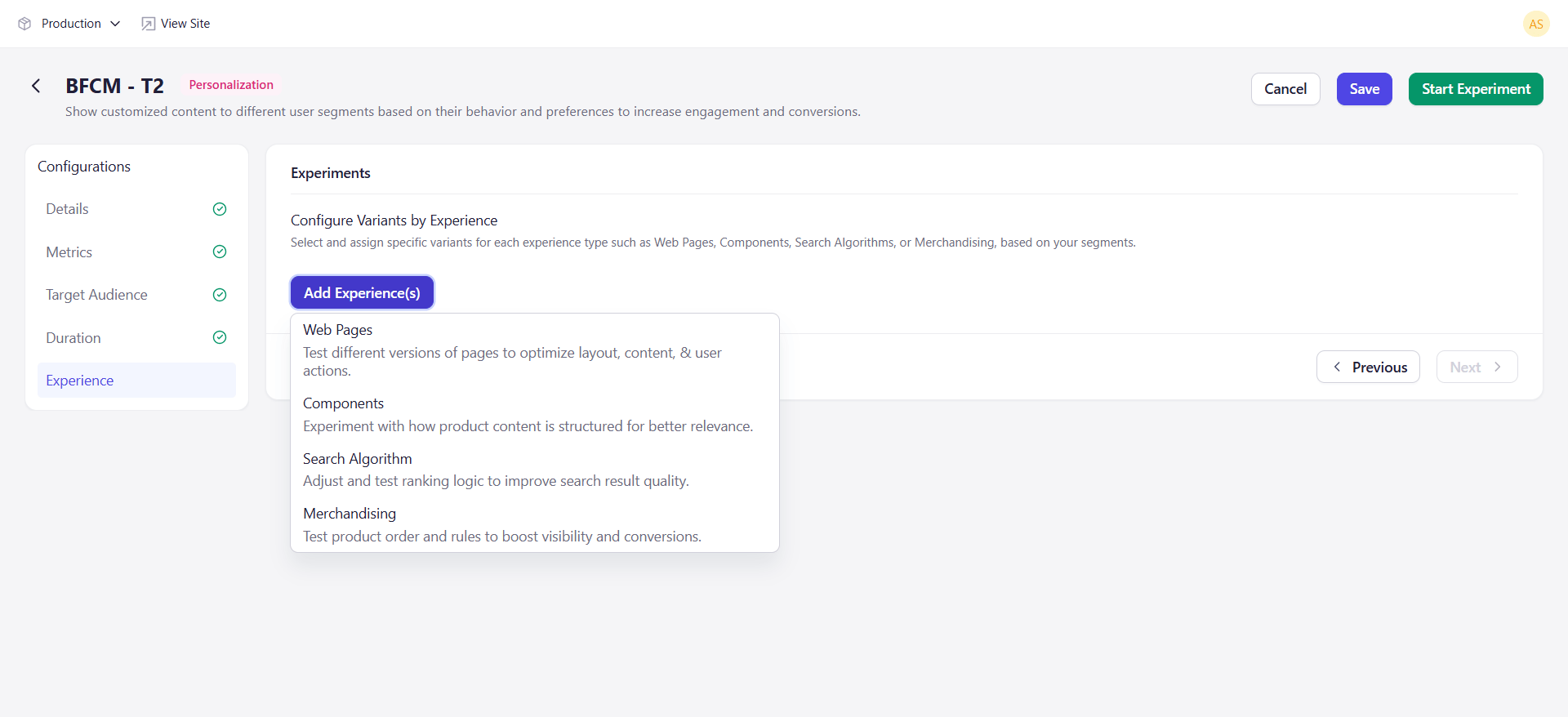
Each type can be added once. Selected types are removed from the dropdown.
Map Variants
Adding a type opens a selection dialog. Search for the records you want, filter by content model where available, and add one or more. Each added row then gives you two things to set:- A Version — defaults to the published version, or the latest version if none is published.
- A variant mapping — which internal variant of that record maps to which audience variant.
Key Considerations
- Web pages must be enabled to act as web pages.
- Visibility of algorithms and merchandising rules depends on your plan. If your plan does not include Discovery, those types will not appear.
- Every audience variant needs at least one experience mapped to it.